Klyper Inventory Manager
Inventory & Stock Management Software for Multi-site Teams
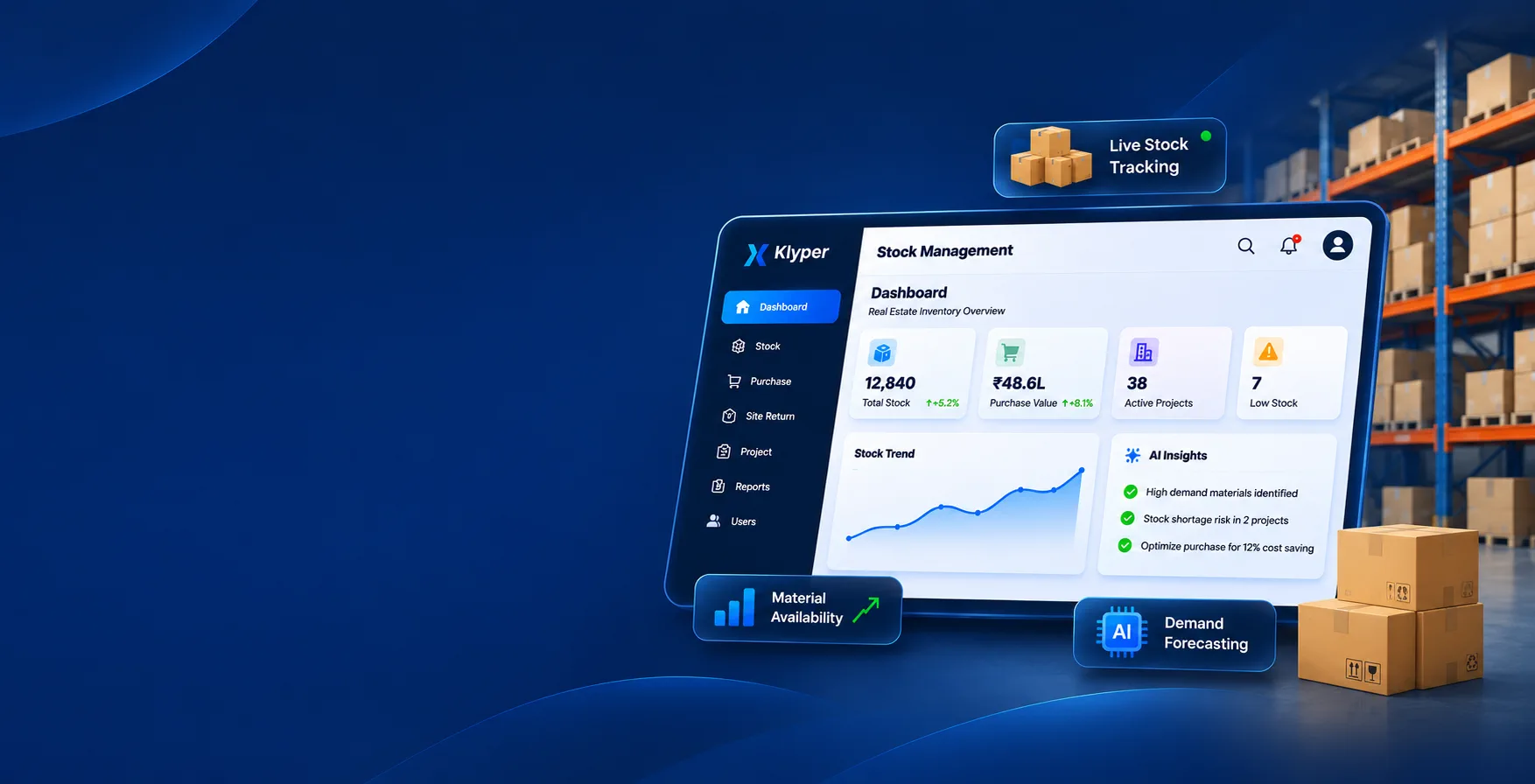
Klyper Inventory Manager is a stock management application that helps teams track inventory across projects, move stock between sites, record purchases and returns, export reports, and optionally submit supplier bills for accounts review — with role-based access and white-label branding for each client.
About the Product
Klyper Inventory Manager
Klyper Inventory Manager is inventory management and stock management software for organisations that move materials across sites. Track purchases, transfers, updates, and site returns; export reports; control access with roles; and optionally enable AI answers or a supplier bills workflow — all under your own branding.
Store ↔ Site Clarity
Role-based Security

Multi-project Stock Tracking
Stock is tracked per project — not as one flat warehouse list — so teams always know what each site holds.
Purchases, Transfers & Returns
Record purchases, move stock between projects with challan and remarks, and return unused or damaged materials from site with clear reasons.
Reports & Role-based Access
Export stock, purchase, transfer, return, and update reports to Excel, with every menu and action permission-gated.
Why Teams Choose It
Why teams choose it
Built for multi-project workstock is tracked per project, not as one flat warehouse list
Store ↔ site clarityissue materials to site, then return unused or damaged stock with reasons
Transfer with accountabilitymove stock between projects with challan and remarks
Role-based securityevery menu and action can be permission-gated
Optional AI assistantask live inventory questions in plain language
Optional bills workflowsubmit invoices with photos/PDFs for accounts to pay, hold, or reject
Operator-managed SaaSquotas, users, subscription, support contacts, and module toggles per client
White-label readylogo, titles, and legal name per organisation
Key Features
Key Features
Inventory management and stock management tools for purchases, transfers, site returns, and reports — built for multi-site teams.

Live Dashboard
KPI cards for projects and low stock, activity visuals, alerts, and permission-aware quick links for daily operations.

Multi-project Inventory
Create Internal and External projects, track quantities per project, and manage statuses from New to Completed or On-Hold.

Purchases & Stock Control
Multi-line purchase entry against a project, stock overview with availability filters, and CSV export for clear visibility.

Transfers & Site Returns
Move stock between projects with challan and remarks, and return unused, excess, or damaged materials with reasons and condition.

Reports & Excel Exports
Stock, purchase, transfer, site return, and update history reports — filterable lists with Excel export for analysis and sharing.
Core Features
Core features
Everything in the product page grid — from dashboard to help & compliance.
Live dashboard
- Greeting and date-aware home screen for daily operations
- KPI cards for projects, low stock, and operational health
- Stock-by-project charts and activity mix visuals
- Low-stock alerts and recent purchase / transfer / return / update activity
- Permission-aware quick links to the actions each user can perform
Multi-project & multi-site inventory
- Create and manage Internal and External projects
- Project statuses: New, On-Going, Completed, Upcoming, On-Hold
- Capture location, dates, type, and description
- Track quantities per project
- Export project lists to CSV
Product catalog masters
- Maintain Products, Brands, Categories, and Units
- Active / inactive control, search, filter, and pagination
- Excel import with downloadable templates
- Failed-row export to fix and re-import quickly
- Catalog data auto-fills across purchase, transfer, and return screens
Purchase entry
- Multi-line purchase bills against a project
- Product, quantity, invoice details, and amount summary
- Controlled create / edit / delete by permission
- Purchase activity reflected on dashboard and reports
Stock overview & control
- Filter by project, product, brand, category, unit, and availability
- Availability views: In stock, Low stock, Out of stock
- Paginated overview with CSV export
- Clear visibility of what each project holds
Stock transfer
- Move materials from one project to another
- Quantity validation against available source stock
- Challan number and remarks for audit trail
- Transfer history available in reports
Stock update / adjustments
- Increase or decrease stock with remarks
- Searchable adjustment history with date filters
- Detail views for audit and reconciliation
Site return management
- Return unused, excess, damaged, or completed-project materials from site
- Quantity capped by available site stock
- Return reasons and per-line condition (good / damaged / expired)
- Full return history with filters and CSV export
Reports & Excel exports
- Stock report
- Purchase report
- Site return report
- Stock transfer report
- Stock update history report
- Filterable lists with Excel export for analysis and sharing
Users, roles & permissions
- Create and manage application users
- Enable / disable accounts
- Temporary password reset for users
- Fine-grained permissions per module (view / create / update / delete)
- Admin vs standard access patterns
- User creation can respect operator-set seat limits
Settings & organisation controls
- View subscription / renew date (operator-configured)
- Storage usage vs quota
- User count vs limit
- Outbound email setup (SMTP / Gmail) for password reset and notifications
- Initial stock Excel import for opening balances (including creating missing masters when needed)
Help, support & compliance
- In-app Help & Support with operator-published email and phone
- Public help page for guests
- Privacy policy page
- Dark / light theme
- Responsive UI for desktop and mobile
Power Features
Optional modules
Operator-enabled · permission-gated add-ons.
Klyper Assist — AI inventory assistant
Operator-enabled · permission-gated
- Chat with your live inventory in plain language
- Ask about stock by project/product, low stock, purchases, transfers, site returns, and updates
- Grounded answers from your database (read-only tools)
- Optional Excel downloads from chat answers (when report export is allowed)
- Works with configured OpenAI-compatible models (including local options such as Ollama)
- Can be turned off globally for a client at any time
Ask: What’s low stock on Project A this month? — and get an answer from your live data.
Bills & accounts payable workflow
Operator-enabled · permission-gated
- Supplier master with GSTIN, contacts, address, bank details, and status
- Submit bills with supplier find-or-create, amount, bill number, notes
- Attach invoice images or PDFs (up to 5 files, size-limited)
- Mobile-friendly capture: take a photo or pick files from gallery
- My Bills for submitters to track their own submissions
- Accounts inbox to mark bills Paid, On Hold, or Rejected
- Attachment storage on local disk or MinIO / S3-compatible object storage
- Attachment storage counted toward organisation quota
Capture the invoice on site, submit it for accounts, and close the loop when it’s paid.
Who It’s For
Audience / use cases
Construction & real-estate developers managing materials across sites
Project contractors with store + site stock movement
Multi-project organisations that need transfer and return accountability
Teams that want purchase history and Excel-ready reports
Businesses that need supplier bill capture with accounts review
Operators / ISVs delivering white-label inventory SaaS to multiple clients

Get Started Today
Ready for Better Inventory & Stock Management Across Every Project?
Request a demo and see how Klyper Inventory Manager tracks purchases, transfers, site returns, and reports — with optional AI and bills — under your branding.
Request a Demo